
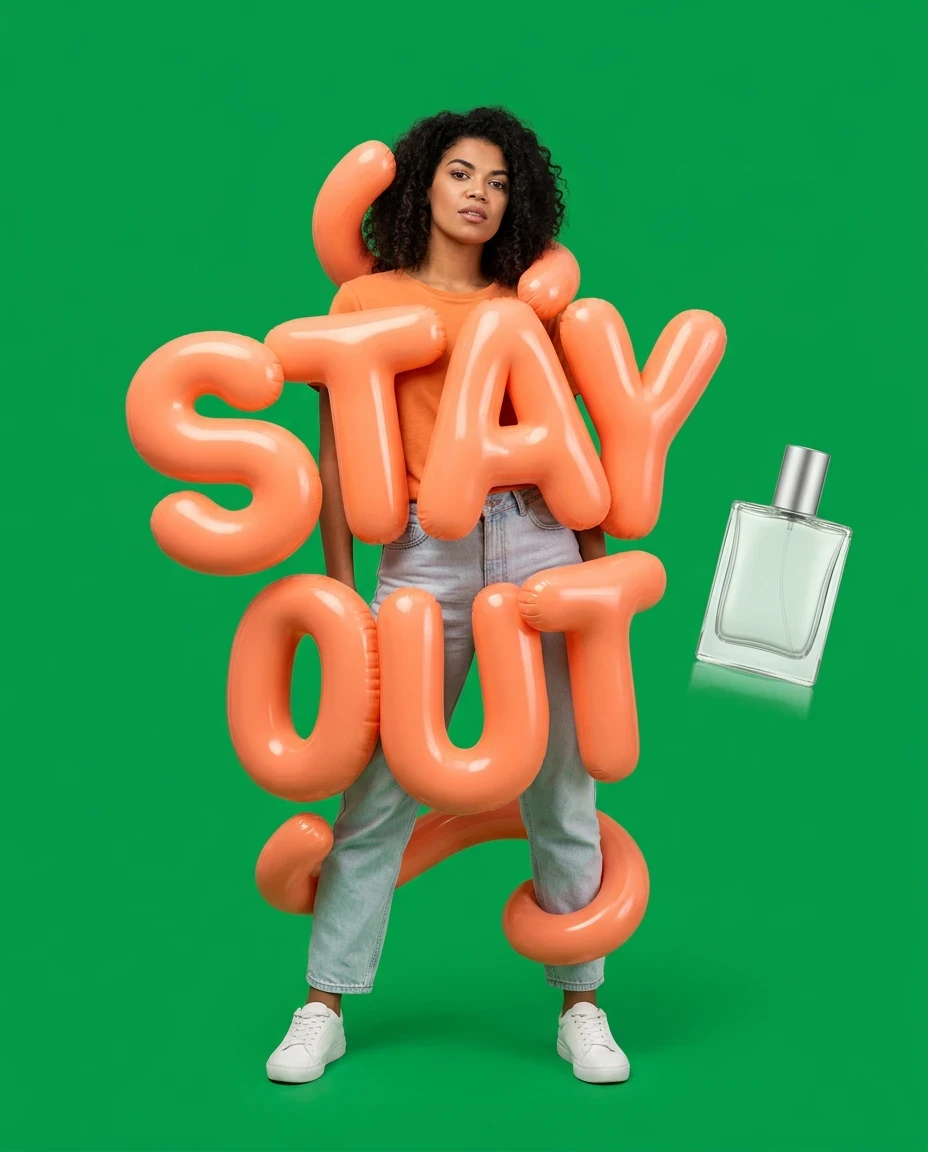
Fragrances · Image preset
Stay Out
Glossy inflated type on a flat green field, bottle floating.
- Halloween
- Format
- Headline
Upload your product. This preset makes the ad. No prompt.
Generate this adGenerate image ads from the Stay Out preset. Upload your product photo and AdRoast applies this halloween ads look with its ai ad generator. No prompt. Glossy inflated type on a flat green field, bottle floating. Roast the result before you buy the click.
Most fragrance and perfume brands waste hours briefing designers or prompting an ai ad maker from scratch. Stay Out packages a tested visual direction — composition, lighting, and halloween, format, and headline creative — so generations stay consistent with paid-social halloween ads.
Because the template encodes the reference look, teammates can recreate the same fragrances vibe without prompt docs — useful when scaling ugc ads or studio-led halloween ads.
After you recreate Stay Out, run the roast. Weak hooks, cluttered frames, and weak product focus show up as notes you can fix with AI edit before buying traffic for halloween ads.
When to use Stay Out for halloween ads
- Launch halloween ads tests for new SKUs without waiting on a shoot
- Produce lifestyle stills for Meta Advantage+ sets
- Create control vs challenger creatives for structured testing
What to upload
Stay Out works best with perfume bottles, discovery sets, and scent-led gift SKUs that read clearly in a vertical frame. Busy labels still work if the product silhouette stays recognizable against halloween, format, and headline creative backgrounds.
Generate this ad from the Stay Out preset
Open AdRoast’s ai ad generator, pick Stay Out, upload your product, and generate. Roast the image ad, optionally improve with AI edit, then export for Meta or TikTok — no briefing marathon.
More Fragrances templates
Related looks in the same niche — crawlable links for discovery.


